Data Visualization & Presentation Course
Improve data clarity and guide decision-making
3h 45min | 26 lessons | 7 downloadable resources
In this course, you will learn how to:
- Turn complex data into easy-to-understand visuals that drive action.
- Design charts, dashboards, and reports that communicate insights effectively.
- Use data storytelling techniques to make a bigger impact in presentations.
- Avoid common visualization mistakes that confuse rather than clarify.
- Present data in a way that influences decisions and gets stakeholder buy-in.


Trusted by marketers at


Master data presentation and visualization to deliver clear, actionable insights to stakeholders
Course Length:
3h 45min. 26 lessons.
This isn’t just about making charts look pretty. You’ll learn how to create unique visuals that highlight the right data points, tell effective stories, and support better decision-making effortlessly for your audience. Walk away with the skills to turn any dataset into a persuasive, high-impact presentation.
After completing this online course on data presentation and visualization, you will be able to assist your team and company with:
- Designing clear, impactful visualizations that simplify complex data.
- Building dashboards that surface key insights at a glance.
- Structuring reports that highlight what matters and remove distractions.
- Using data storytelling to engage and persuade decision-makers.
- Presenting insights in a way that drives action, not confusion.
This course is for you if you are responsible for:
- Presenting data to stakeholders, clients, or leadership.
- Turning raw numbers into meaningful, actionable insights.
- Improving how your reports, charts, and dashboards communicate information.
- Ensuring data-driven decisions are based on clarity, not clutter.
- Making analytics more accessible and useful for your team.
Look no further than CXL, this is the best and most recommended course you will find on Data Presentation and Visualization.
Subscribe now and get access
Black Friday offer: 25% off, already applied. A year of CXL, 80+ courses included.
Course Curriculum
Data presentation and visualization
Communication overview
Overview: The brain science of communication
Overview: The Cognitive Load of Pie Charts
Data Visualization: Maximizing the Data-Pixel Ratio
Data Visualization: Using Color Sparingly
Data Visualization: The Importance of the Axes
Data Visualization: Horizontal Bar Charts for Comparing Categories
Data Visualization: Line Charts for Visualizing Time-Series
Data Visualization: Sparklines and Small Multiples
Data Visualization: Text as a visualization
Data Visualization: Heatmaps
Data Visualization: Scatterplots
Data Visualization: Specialty Charts and Chart Elements
Data Visualization: Cautionary Charts and Bad Practices
Data Visualization: Dashboard Considerations
Data Visualization: Data Visualization Resources
Data Storytelling: The Power of Narrative
Data Storytelling: Know Your Audience, Know Your Goal.
Data Storytelling: Establishing a Narrative (and a Flow)
Data Storytelling: McKinsey Titles and Reinforcing Content
Data Storytelling: Data Visualization Tips Apply!
Data Storytelling: Kill the Bullets and Limit the Text
Data Storytelling: Presentations vs. Documents
Data Storytelling: Compelling Imagery
Data Storytelling: Editing and Rehearsal
Data Storytelling: Review and Resources for Learning More

Tim has been working with digital data full-time since 2001 in a variety of roles: from managing a web analytics platform migration and developing analytics processes as the head of the business intelligence department at a $500 million high tech B2B company; to creating and growing the analytics practices at multiple agencies that worked with a range of large consumer brands; to his current role consulting with the digital analytics teams at Fortune 500 companies on their strategies, processes, and tactics for effectively putting their sales, marketing, customer, and digital data to actionable use.
This online course
comes with a
Certificate
Completing this course earns you an official CXL Data Presentation & Visualization Course Certificate to prove your achievement. CXL is recognized as an industry-leading qualification by employers worldwide, and it is an official qualification on LinkedIn that can be added to your profile.

This is what marketers said after our live workshops and courses
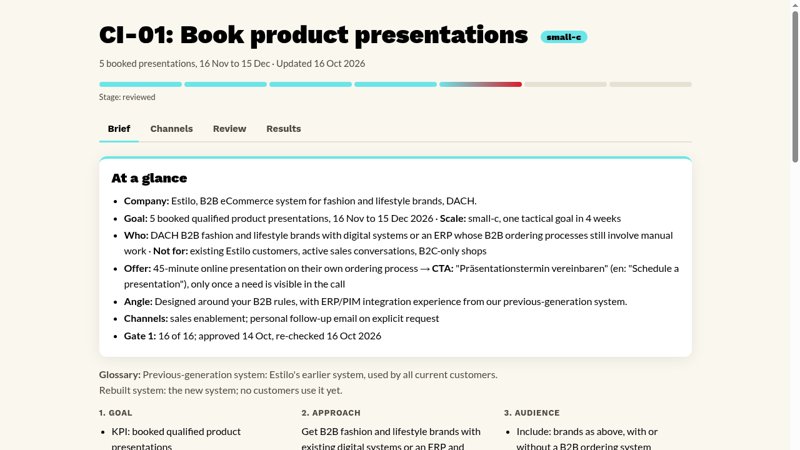
B2B eCommerce platform
Sales signed off the target in writing before the brief passed Gate 1. Five review rounds took the drafts to 87% and 96%.
Campaign engine

Co-Founder, Feral MKT
“That alone used to take me a whole day working in AI-assisted mode (more days without AI), since I had to write all the copy from scratch because I didn’t like what Claude used to give me. This time it took me about an hour.”
Campaign engine

Fractional CMO & GTM Strategist
“I fixed the site and Crunchbase last week and reran Build 1 this morning with the same questions, tools and judge. Accuracy went from 53% to 71%, and wrong answers went from three to none.”
AI visibility tracker
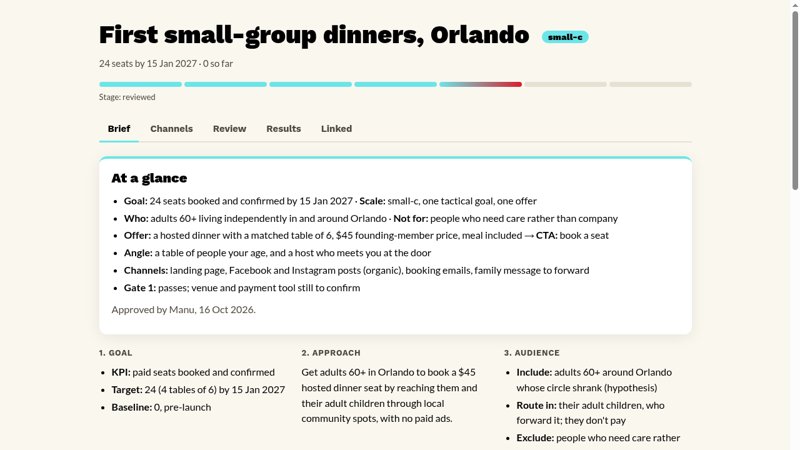
Social club for people 60+, pre-launch
A paid first dinner, to test whether older adults will pay for it themselves. All four channels reached ship after 9 fixes.
Campaign engine

Senior copywriter, elective healthcare agency
“I was really impressed with how it handled the copy, including adding a medical compliance check due to the industry I work in … I loved all of the quality checks and scoring, since I usually do that type of QA work manually.”
Campaign engine
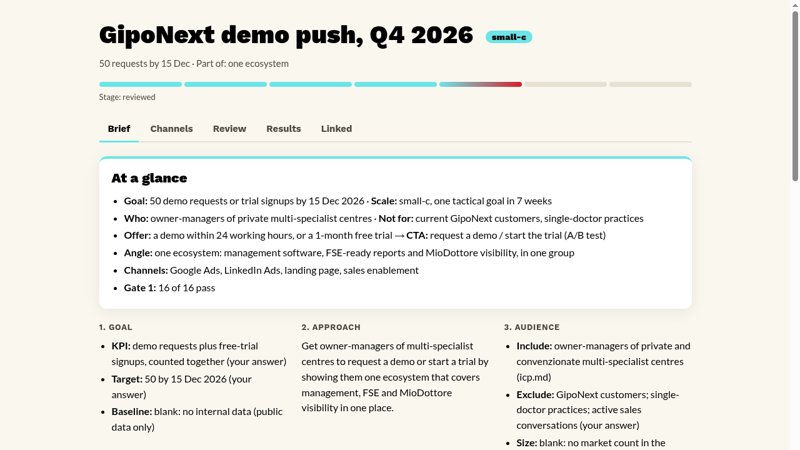
Clinic management software
A campaign to win 50 demo or trial requests in 7 weeks: five channels, all drafted and through Gate 2.
Campaign engine

E-commerce & Brand Strategist
“I built a visual plugin on top of your Marketing Brain, two actually: Visual Brain for the brand’s visual direction and Product Visual for product image storyboards … I put my own brand through it and it already gives me something I can work with.”
Own plugins on Marketing Brain

AI-Forward Marketing Executive
“I was in your workshop 12 hours ago. I already have a workflow live… I feel like a freaking WIZARD!”
Last cohort
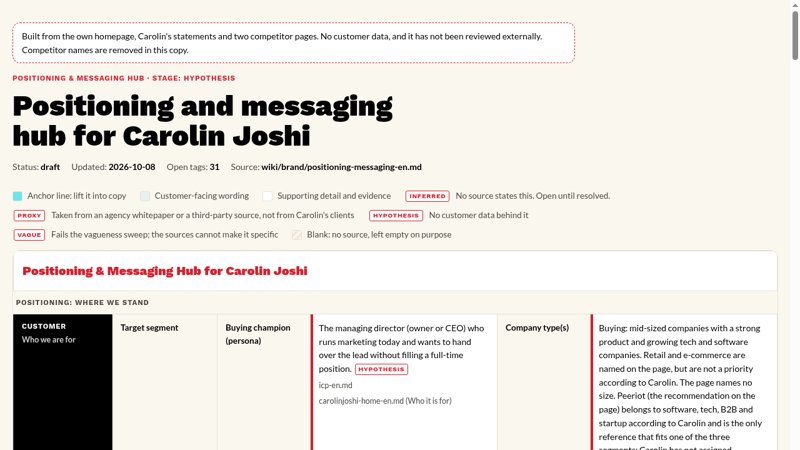
Fractional CMO practice, launching
Tested a new fractional CMO offer on her own website, using public data only.
Marketing Brain

Marketing Communications Manager, TXI
“Connecting my systems made the biggest difference. Pulling deals straight from our HubSpot CRM, plus Semrush data on our content, gave the ICP and the messaging real evidence instead of guesses.”
Marketing Brain

Director of Messaging
“Being able to identify valuable work to be done, build a workflow/agent to do it effectively and consistently, and deploy it across my team will be a skill that sets my team and I apart within the org.”
Workflows
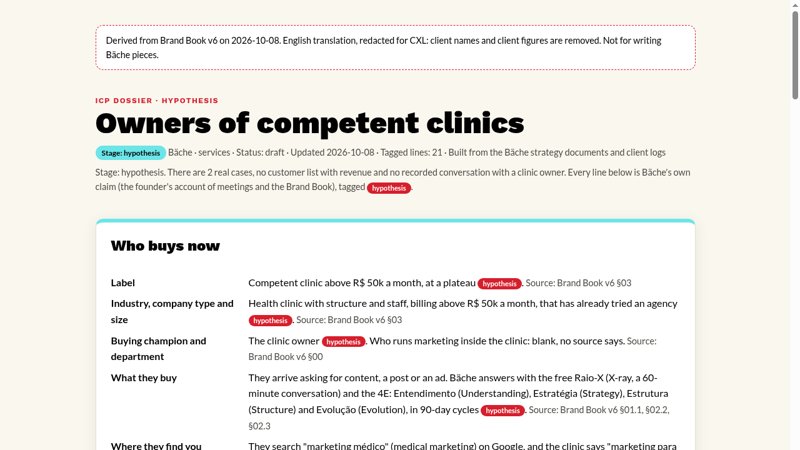
Marketing agency for health clinics
Ran the brand book through it: every claim about the buyer came back tagged hypothesis or blank.
Marketing Brain

Content Strategist
“This course got me to take writing instructions seriously and tailor them to how I work. Before, I was mostly just chatting with AI. Now I’m trying to build actual workflows.”
Workflows

Founder, Mesh Creative Studios
“Biggest learning: the review forced me to stop claiming things I hadn’t proven yet.”
Campaign engine
Here is what other marketers said
The newsletter for the marketing engineer.
Free, weekly, on AI and B2B marketing.
AI changes how marketing works every week. We help you keep up and grow into the marketing engineer role: practical AI tactics, B2B playbooks, and the workflows teams are running right now.
Frequently asked questions
About CXL
What is CXL?
CXL is a B2B marketing training company focused on AI and conversion optimization. Marketers learn by building real work with live guidance from practitioners.
Does CXL offer AI training for B2B marketers?
Yes. AI for B2B marketing is CXL’s main focus: building AI workflows and agents for research, content, campaigns and reporting, plus visibility in AI search.
Where can I learn conversion optimization?
CXL has trained marketers in conversion optimization and experimentation for over a decade, covering customer research, A/B testing, landing pages and testing statistics.
Plans
What is the difference between the monthly, quarterly and annual plans?
The main differences are the billing period and access to live courses:
Annual: On-demand courses plus live courses, including new live courses throughout the year. Billed annually and offers the best value. Includes a 7-day refund window.
Monthly: On-demand courses only. Billed monthly.
Quarterly: On-demand courses only. Billed every 3 months at a lower monthly rate.
Quarterly and monthly plans are not covered by the refund policy. However, you can reach out to Support if you’d like to remove the automatic renewal.
What is the difference between the individual and teams plans?
Individual plans are designed for one learner.
Team plans are available for 2 or more people and include additional tools to help manage learning across your team, including:
- Track learning progress and engagement.
- Invite and manage team members.
- Create learning roadmaps for individual users.
What is included in the subscription plan?
All subscription plans include:
- 80+ certifiable B2B marketing courses and Minidegree programs.
- Certificates that can be added to LinkedIn.
- Progress tracking.
Are live courses and workshops included?
Live courses and workshops are included on annual plans. Monthly and quarterly plans cover the on-demand catalog and every Minidegree.
Can I switch plans later if I want to?
Yes. You can change between Monthly, Quarterly, and Annual billing plans.
If you would like to move from an individual subscription to a team plan, please contact our Customer Success team via live chat and we’ll be happy to help.
What is the difference between the Marketing Engineer cohort and the subscription?
The Marketing Engineer cohort is 8 live weeks, starting 11 January with setup. You build a working marketing system and get certified on it, not on attendance. It comes with the annual subscription.
The subscription gives you access to our library of 80+ B2B marketing and AI courses. The annual subscription also includes every live cohort and new live workshops every month.
Does the Marketing Engineer cohort include access to the full CXL course library?
Yes. The cohort comes with the annual subscription, which includes the 80+ on-demand courses and every minidegree.
It also includes every live cohort in your year, the community and every update to the systems you build.
Billing
What are the payment options available?
Most major credit cards and Paypal are accepted. If you need an invoice to pay by wire, please message our customer success team via chat for options.
Can I pay in my own currency?
All of our products are priced in USD currency. We have established a system where you can pay in your local currency.